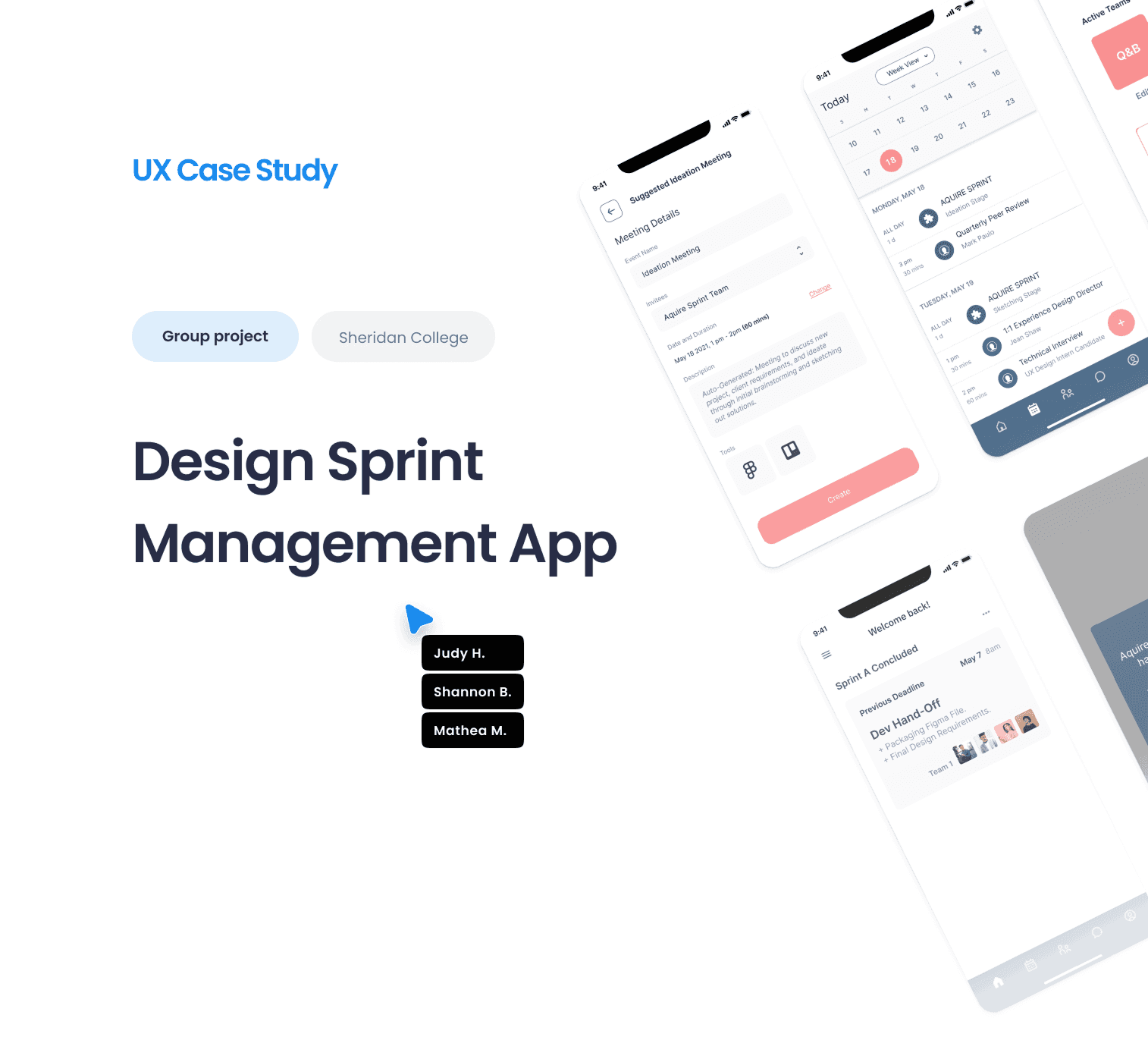
Case Study
Design Sprint Management
Our app is designed to improve remote team collaboration and design sprint management. It helps teams manage projects, meetings, and tasks in one tool. Teams can schedule meetings, create projects, assign work to teammates, and specify deadlines directly on this app.
- My Role
- UX/UI Design and Usability testing
- Timeline
- 4 weeks (Feb – Mar 2021)
- Tools
- Figma, Whimsical, Trello
Project Brief
Collaborate to identify a people problem/challenge associated with the idea of scheduling. Our app helps teams manage projects, meetings, and tasks in one tool — schedule meetings, create projects, assign work to teammates, and specify deadlines, all in one place.
Defining the Problem
Design teams lack a single-platform mobile device to schedule meetings, create kanban, and keep track of sprint timelines. We tackled the user problem for scheduling design team meetings on a versatile mobile platform.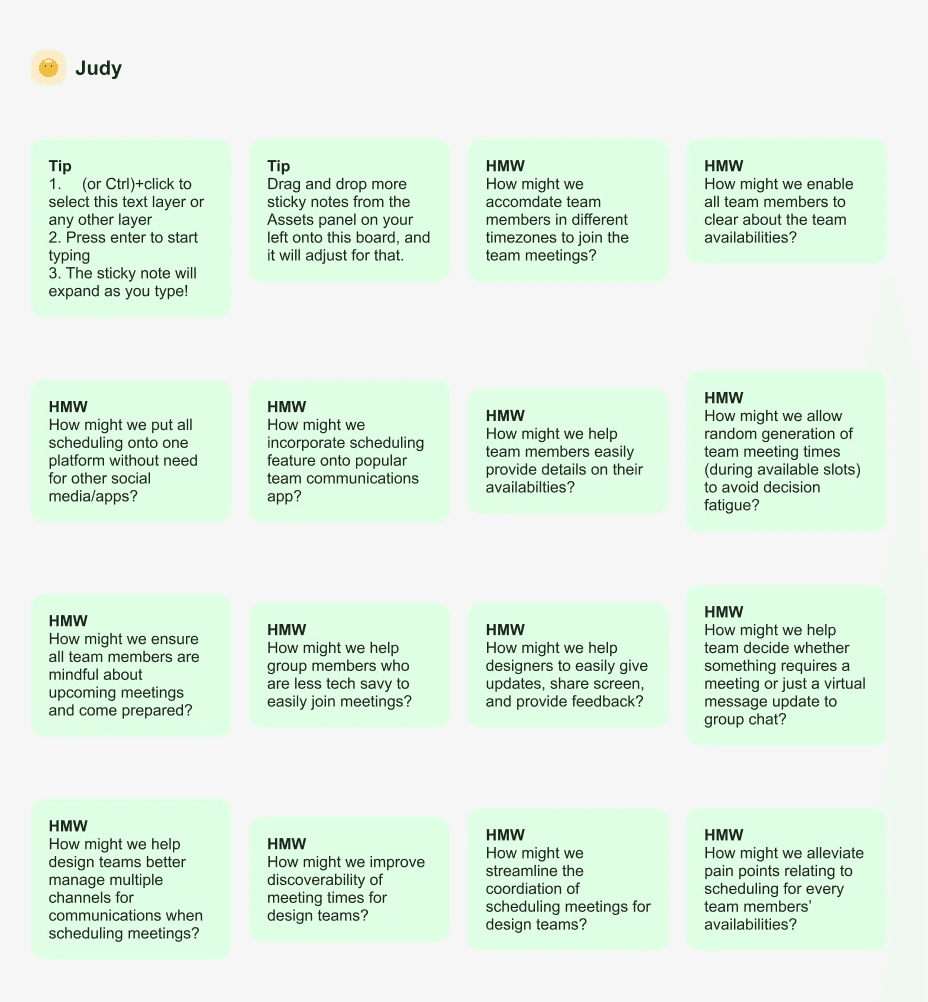
Our Process
A snapshot of how we approached the project: a structured design process, a remote sprint, and a Trello board to keep the team aligned across four weeks.
🧭 UnderstandMap the problem space and align on user needs, constraints, and business goals.📝 DefineSet the target — clarify the core problem the team is going to solve.💡 SketchGenerate a wide range of solutions individually before converging.✏️ DecideVote on ideas and pick the strongest direction to take into prototyping.Sprint Workflow
A more granular breakdown of the design steps each team member ran through during the remote sprint week.
Remote Design Sprint
We conducted our sprint phases (Understand, Define, Sketch, and Decide) using the Figma template. Doing this exercise helped us define our solution direction, establish common ideas and features, and finalize UI direction in order to move on to flow-chart and mid-fidelity wireframes.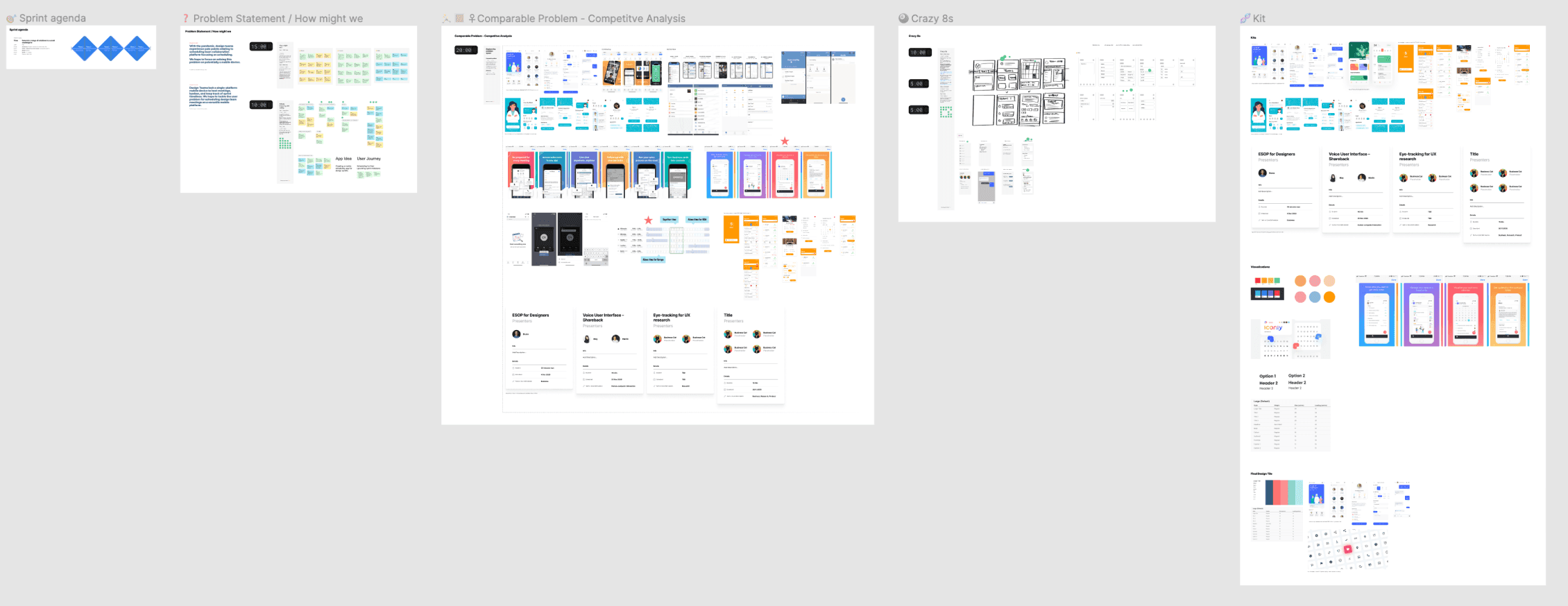
Kanban Task Management
Our team utilized the Trello Kanban to organize the project timelines, weekly milestones, and individual tasks. This board helped us ensure the project timeline is easily visible to all members and view the status of any tasks and milestones.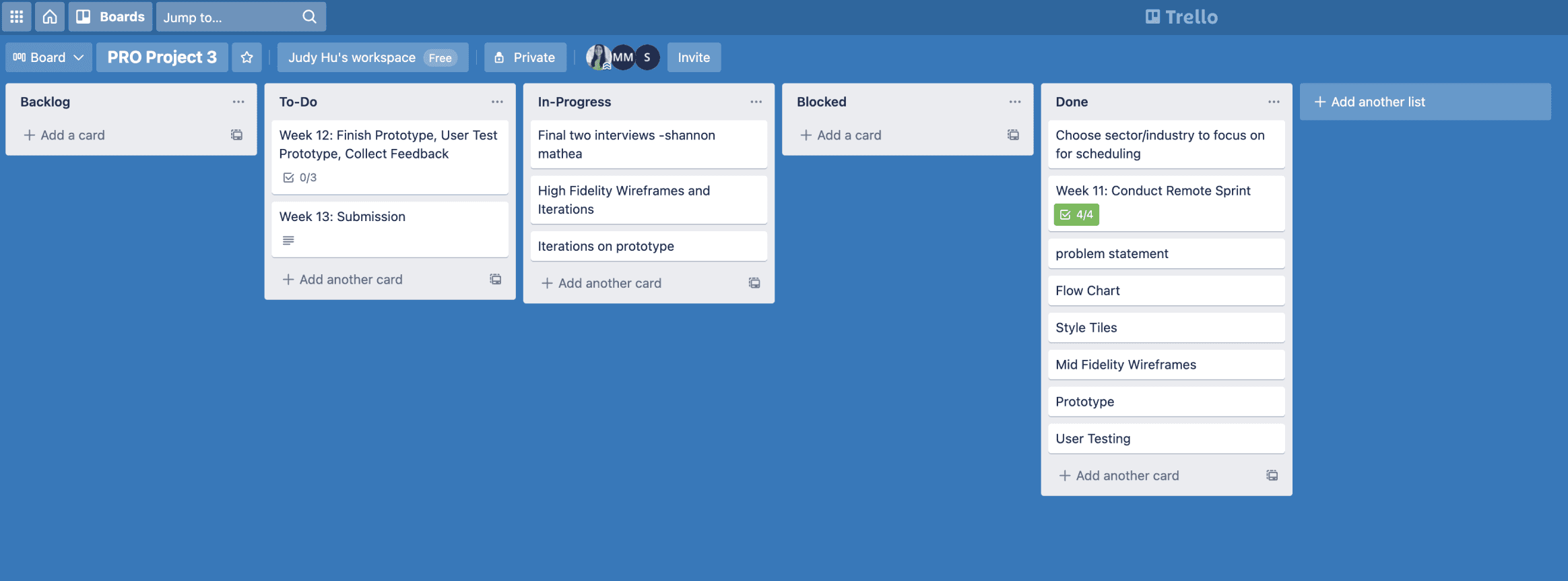
App Architecture
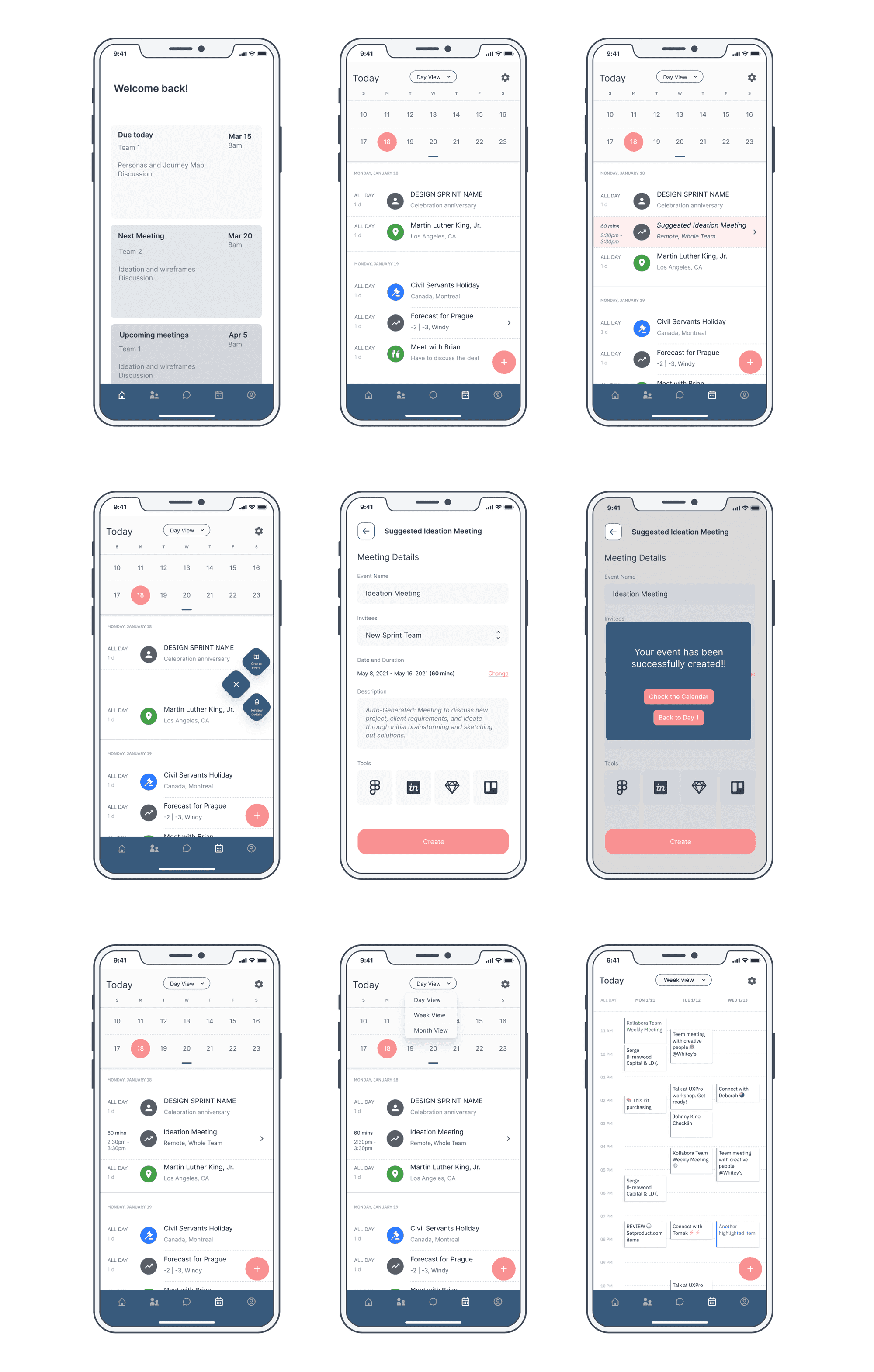
This flow-chart summarizes the user journey in our prototype, and also gives an overview of our entire app information architecture and important tabs within the user journey.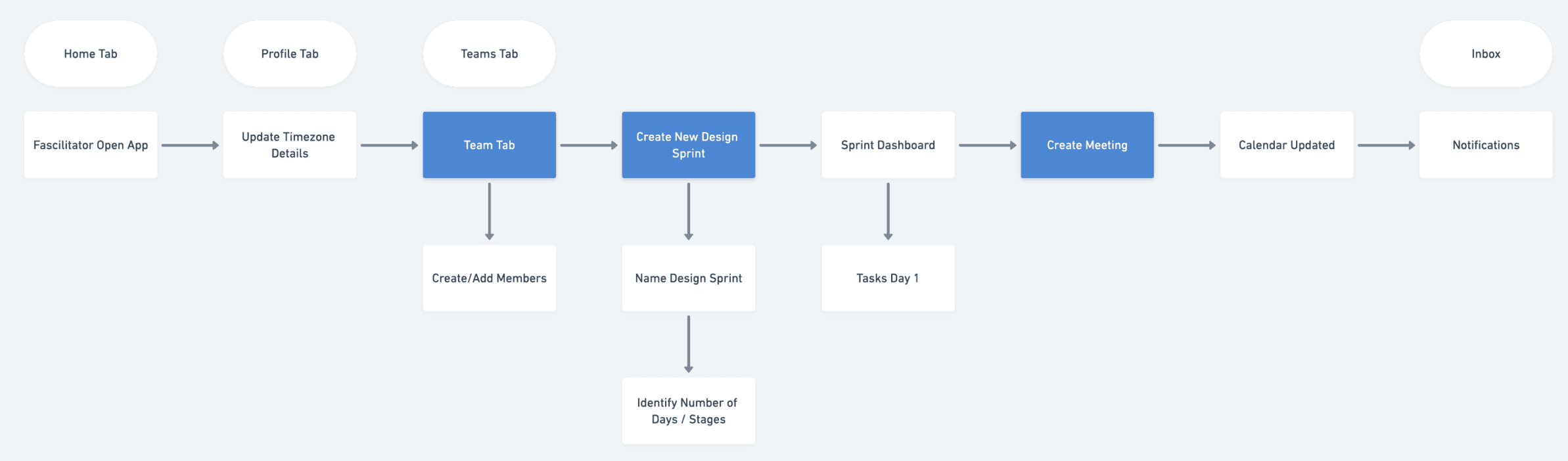
Features & Functionalities
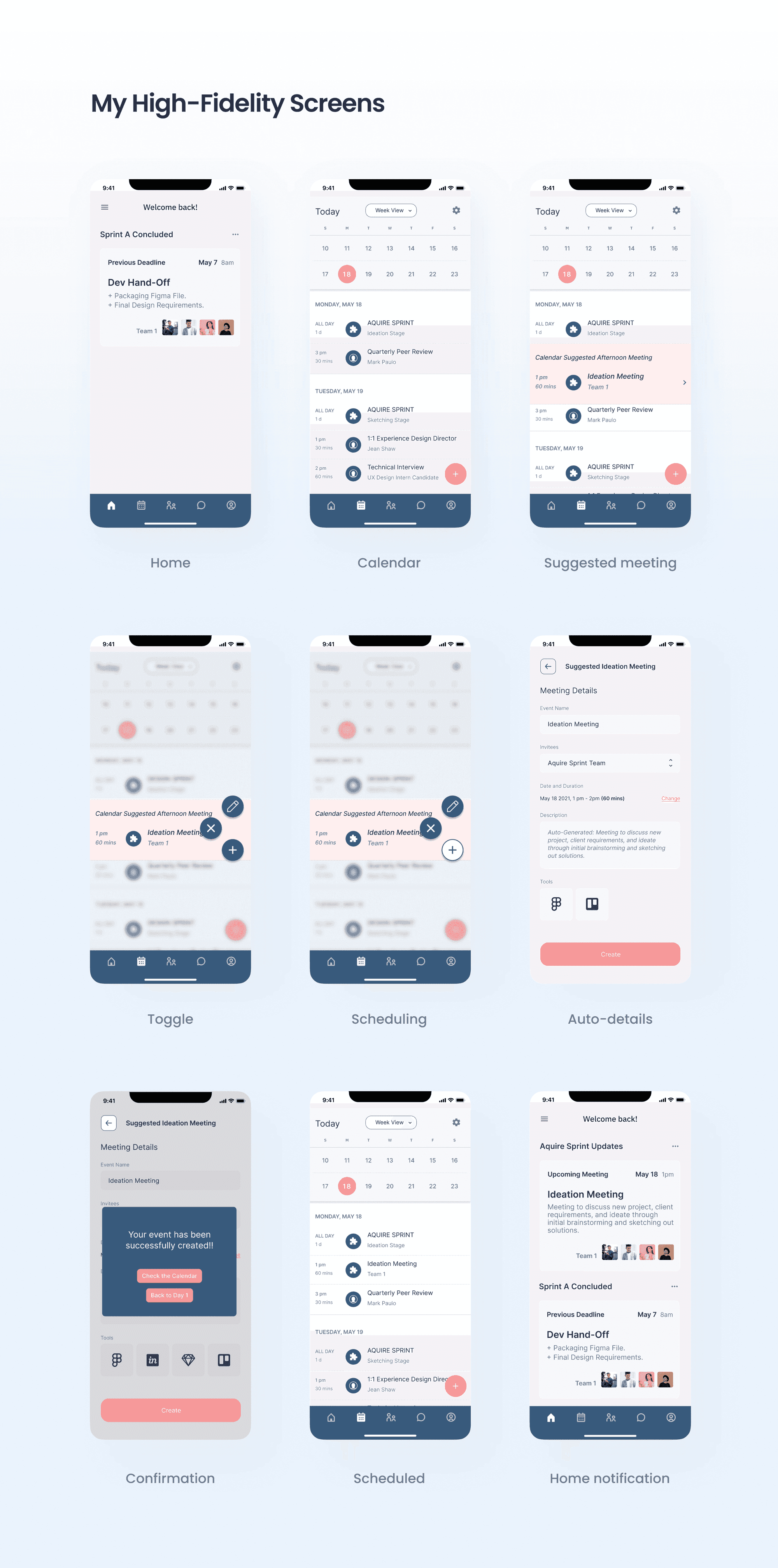
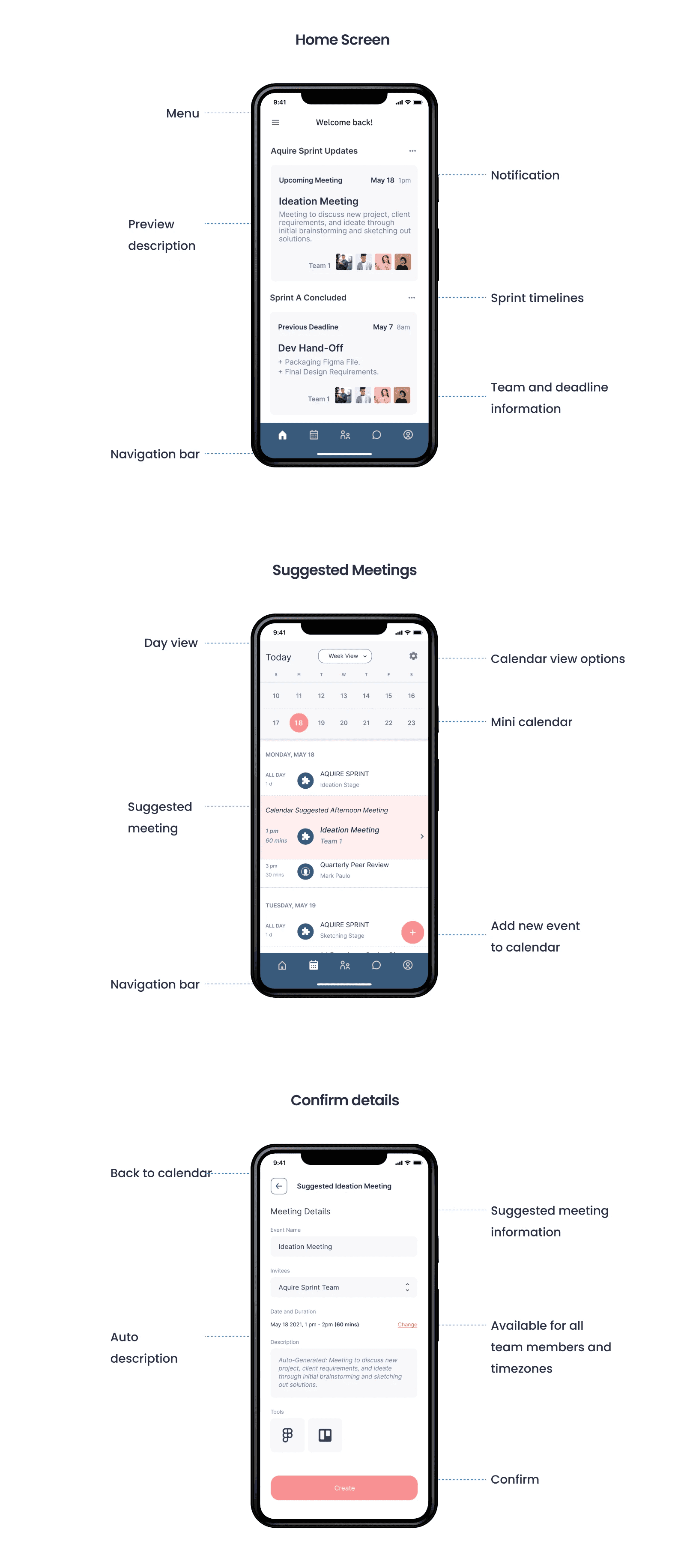
To resolve user needs we focused on a calendar that adapts to active sprint timelines and team availability.
Calendar scheduling & notifications
Auto-suggested meetingsWith sprint timelines and team profiles implemented, the calendar auto-suggests meetings according to your sprint milestones.One-tap creationEasily create a suggested meeting through a single toggle touch.Live updatesThe home page instantly reflects new sprint checkpoints and notifications.Mid-Fidelity Screens
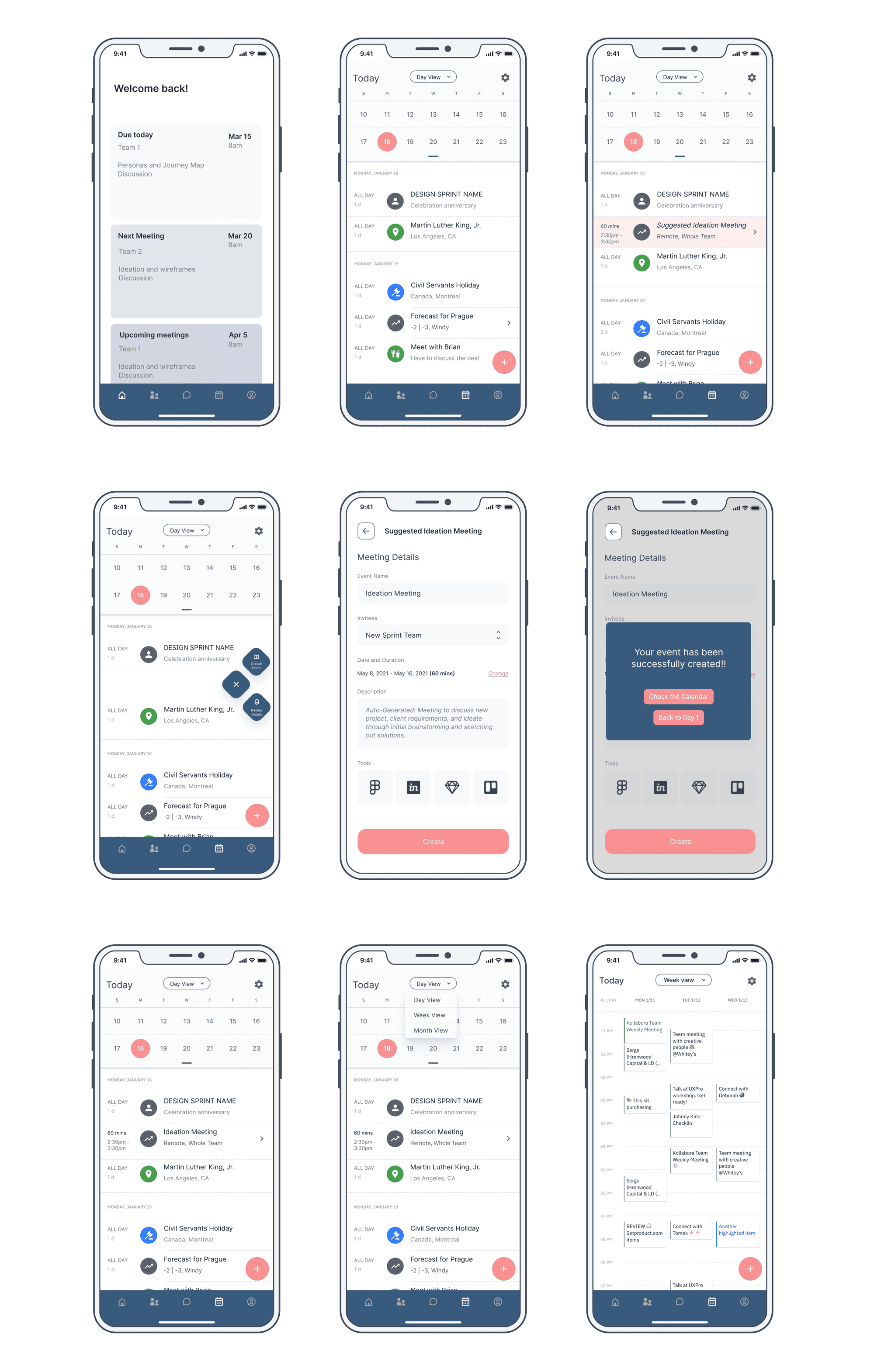
A first pass at the screens connecting the app architecture to the calendar-driven scheduling features.
Usability Testing
It's great to be able to do this on a mobile app and the steps are easy and intuitive.Usability test participantWe conducted unmoderated usability testing on five participants to validate that our solution works for the intended audience. Our test consisted of screening questions, a script prompting users through critical flows in a scenario use case, and feedback questions.
Using real-user data, we iterated our mid-fidelity prototype into a more high-fidelity experience.
Top Feedback for Improvement
Visual DesignMore consistency across fonts, colors, and color contrast.UXComplicated design, time options look busy, confirmation page can have more options, menu can be a hamburger, scrolling on home page needs work.Create teams featureMore information and clarification of new team members (status, position, details), add descriptions, more options.CalendarNeeds more organization, text too small in toggle, meeting icons are too varied, order of week, and weekly calendar view needs improvement.Feature Prioritization
MoSCoW FrameworkPrioritized features against Must / Should / Could / Won't, mapping the user flow for browsing and saving the recommended features.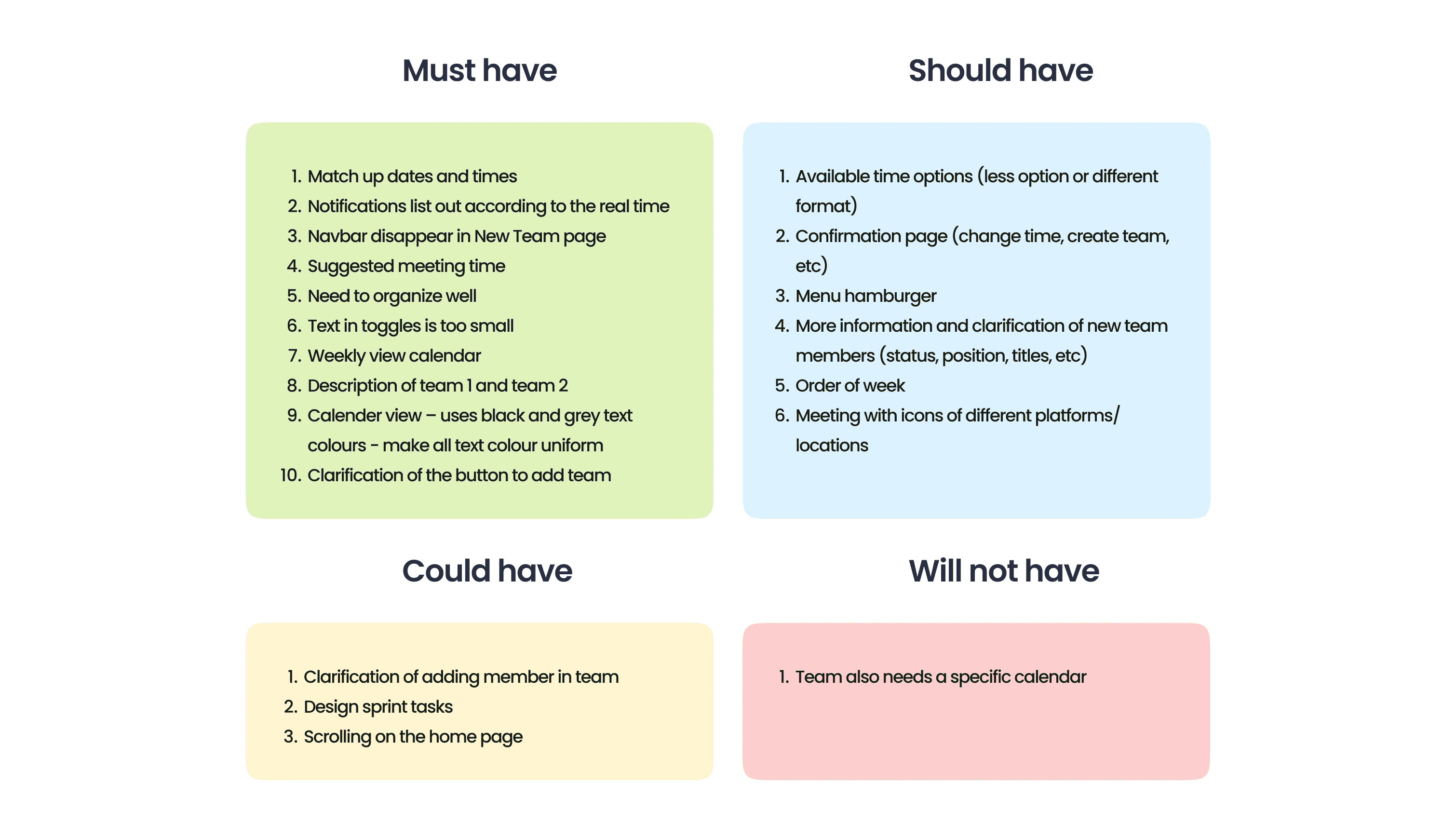
Final Design