Case Study
Usability Test on Canvas Mobile
Moderated usability testing on the learning management system adopted by the University of Washington, Canvas, with a focus on on-the-go usability of the mobile app. Conducted as part of Masters' program coursework at the University of Washington. Delivered a prioritized list of next steps categorized by scale of change and suggested time frame, which would help guide collaboration with cross-departmental stakeholders in a real-world setting.
- My Role
- Researcher on a team of four
- Deliverables
- Report and Recommendations
- Timeline
- Feb 2024 – Mar 2024
Context
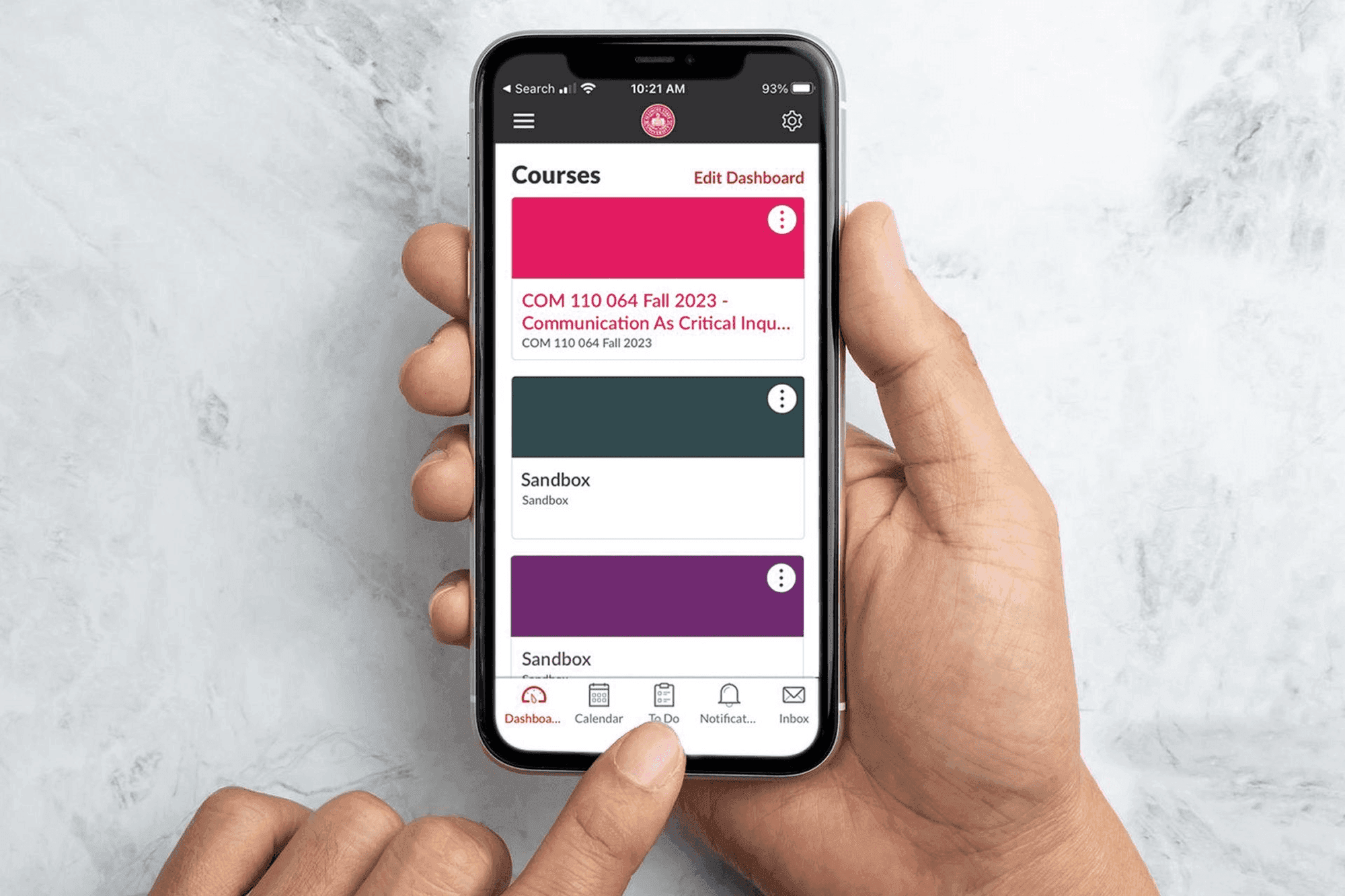
Canvas is the learning management system (LMS) adopted by University of Washington to help students access and manage course materials such as syllabi, announcements, and assignments. We wanted to investigate pain points student users face when using the mobile version to check feedback from professors, to-do items, calendars, and announcements. As fellow students at UW, the product and topic of study was close to our hearts.
My Role
I contributed as a core member of the research team, collaborating with teammates throughout the study.
- I contributed to drafting the screener and data log, and collaborated with the team to refine the task list and success criteria.
- I moderated a pilot session to help test and validate the moderation guide drafted by a teammate, and shared feedback based on my prior research experience and observations from the pilot.
- I also supported teammates during moderated sessions by observing interviews and providing constructive feedback afterward.
Research Questions
01Findability of optimal pathsHow easily and successfully can users find the optimal paths that support their tasks?02On-the-go pain pointsWhat are the key pain points that are preventing users from effectively using Canvas Mobile on-the-go?03System–user mental model fitDoes the system's behavior match the user's expectations?Research Approach
Knowing that both a desktop and a mobile version of the LMS exists, we ran an informal poll of our classmates (who were 3 months into our program and novice users of Canvas) to understand their usage of the two versions. We learned that student users use Canvas Mobile to check things on-the-go — new announcements, to-do's, newly graded assignments.
We wanted to test the usability of the mobile app with novice / less confident users, as:
- UW gets new students regularly
- Students don't get a say in the LMS used
- Learnability is important
- For fast-paced programs like ours, on-the-go usability is important
Methods & Participants
We first did a heuristics evaluation to help us understand the app more. Thereafter, we ran a moderated usability test.
Data we collected:
- Qualitative and quantitative user behavior data
- Qual: Interviews, Observation, Think Aloud
- Quant: Click count, System Usability Scale
- Pre-test and post-test questions on attitudes
Participants:
- Current undergraduate or graduate student at UW
- iPhone user
- Either (1) self-rated as 3 or below for confidence in navigating Canvas Mobile App or (2) used Canvas Mobile for less than 6 months.
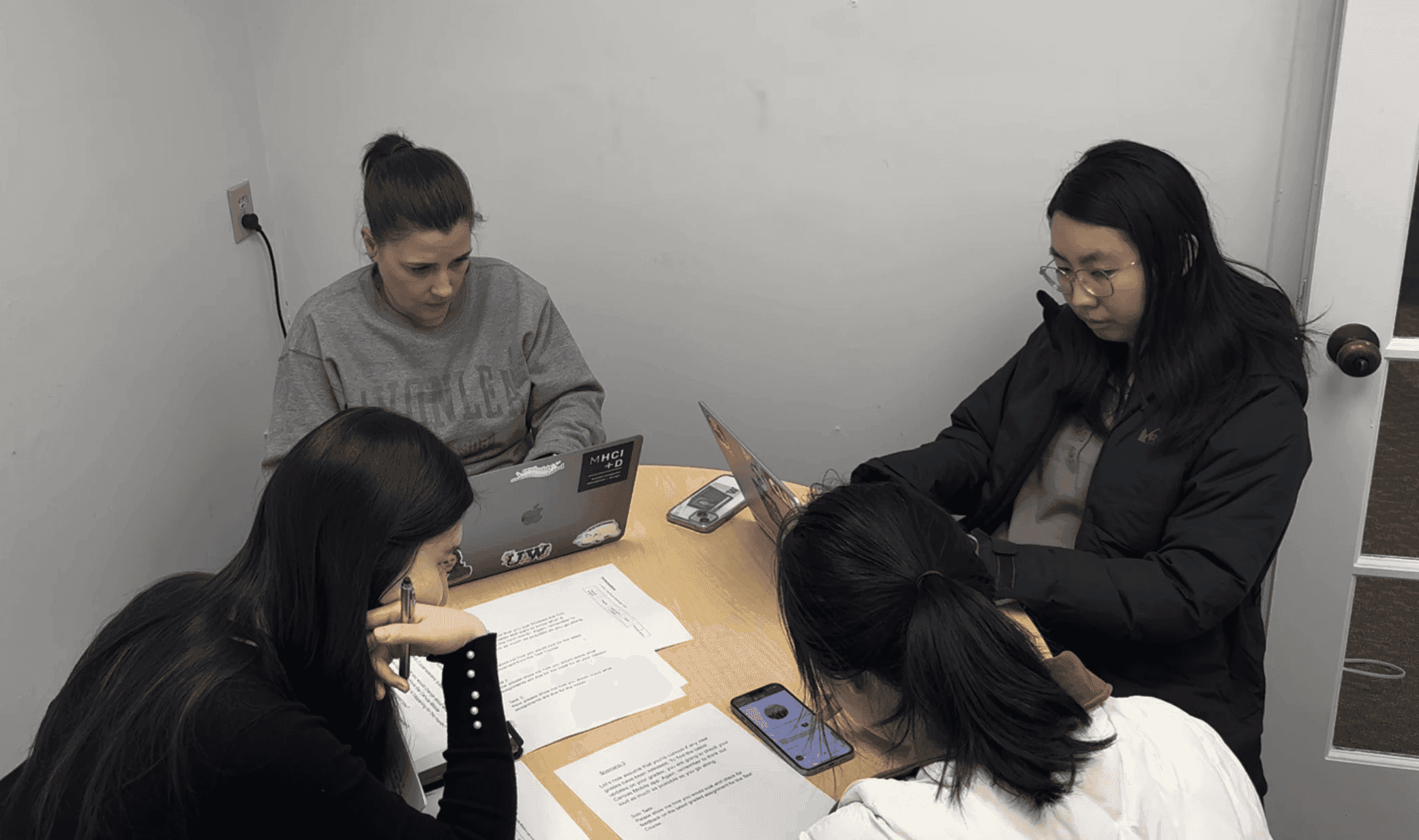 Our study set-up, where we observed the participant's screen via screen share on Zoom and body language via an over-the-shoulder camera.
Findings
Our research uncovered 7 key findings ranging in severity.
Main sources of error on the Canvas App:
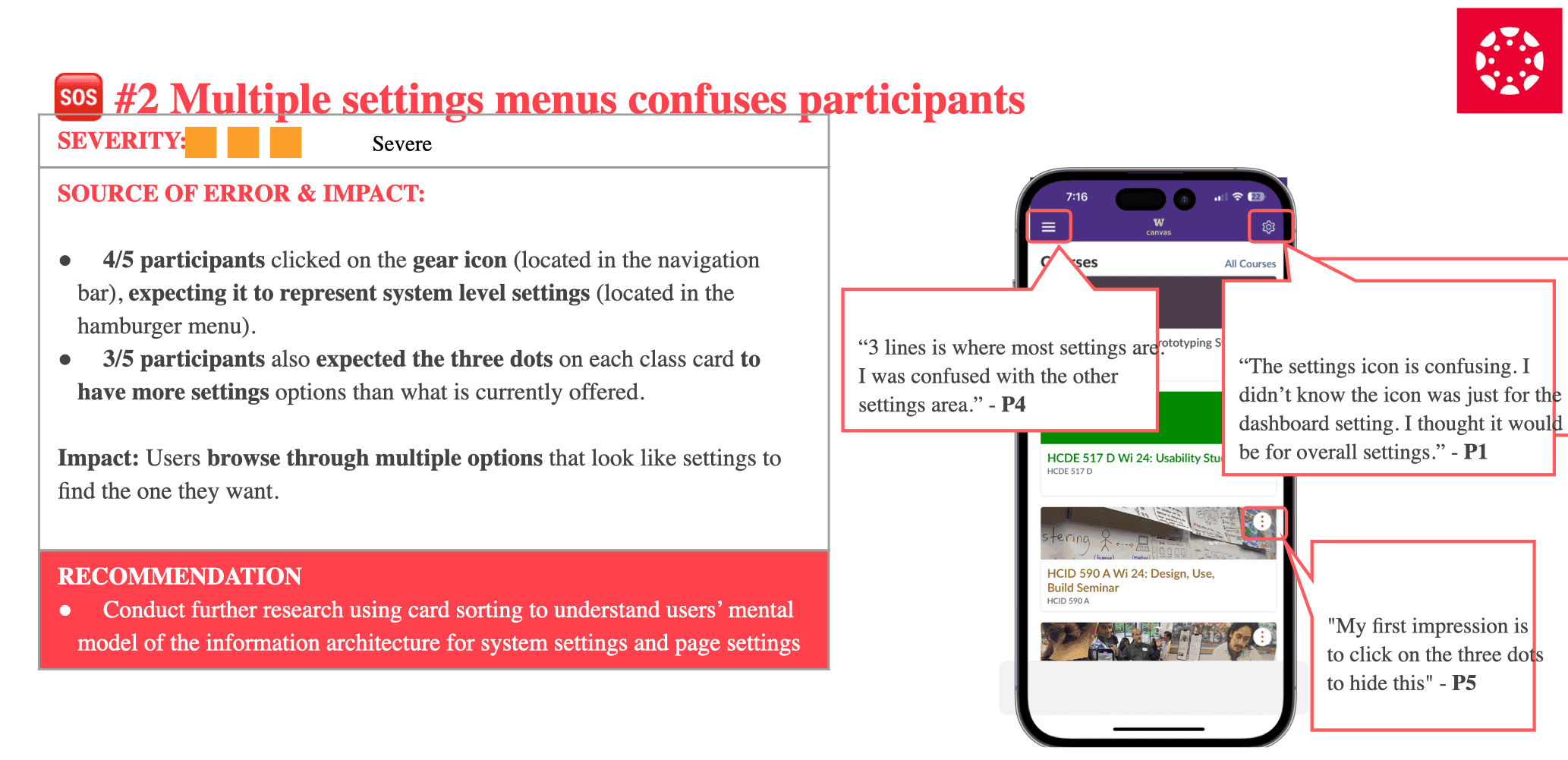
01Information architectureDid not match user expectations, making it hard to predict where features lived.02Misleading labels and iconsCopy and iconography didn't communicate the underlying action clearly.03Poor visual hierarchyImportant elements competed for attention, slowing scanning and recognition.These sources of error led to poor learnability and discoverability of features on the app. One of the more severe issues we uncovered was around information architecture.
Recommendations
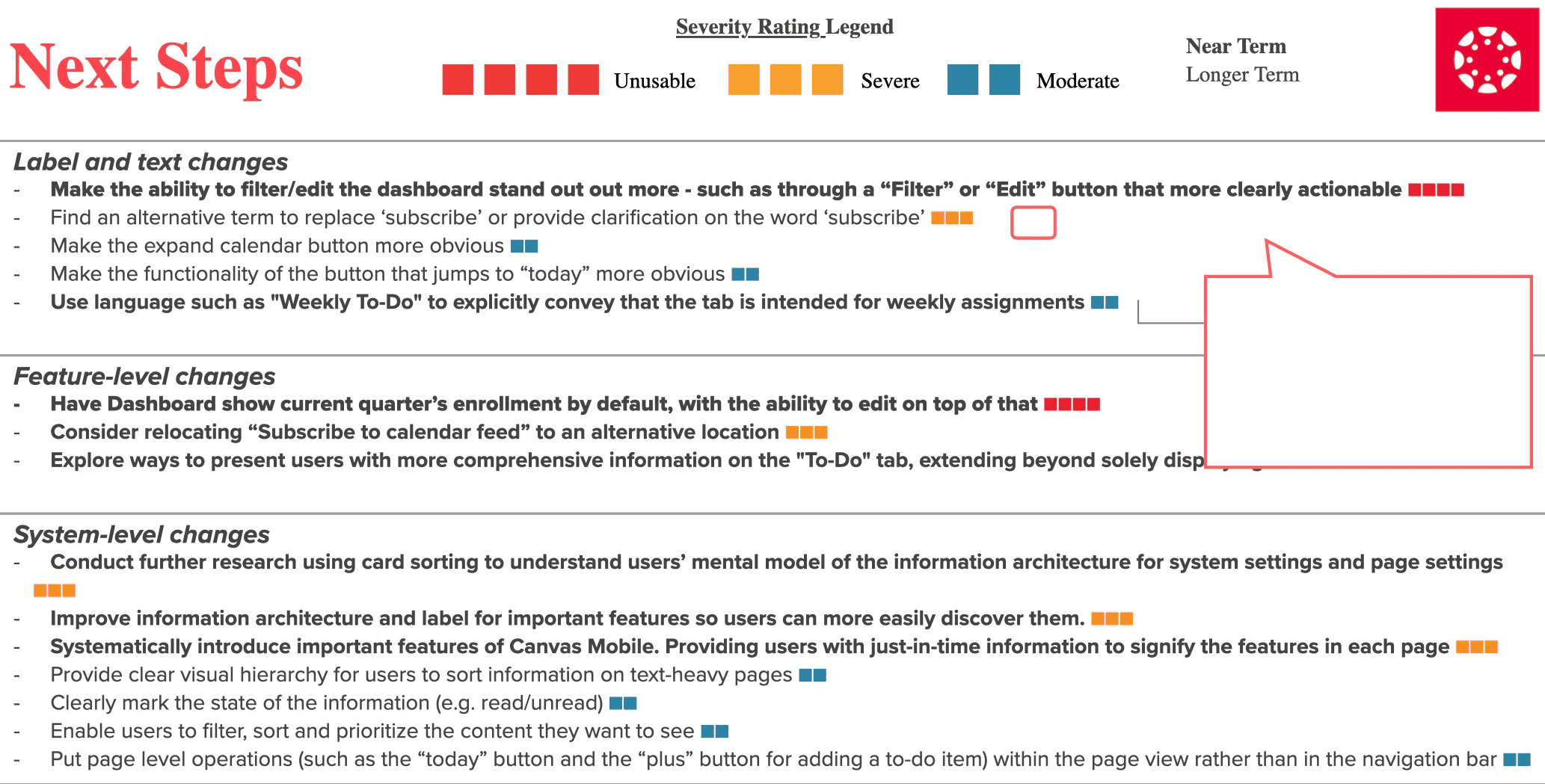
We generated a prioritized list of recommendations, organised graphically into 3 categories and 2 time frames based on effort and severity. The prioritizations and categorization would help us to more effectively collaborate with relevant colleagues and stakeholders in a real-world environment.